Video Tutorials
 2019-11-23

 3

We'll start by choosing our fonts and colors, we'll add a bit of structure in the design and after we'll tie it all up by adding a few details, we're going to present the label design by adding it on a mock-up in Photoshop. This course was created with beginners in mind but you do have to have a bit of experience with Illustrator.

Blender is the most exciting 3D modeling program to many, especially because it's completely free and open-source. In this course I will teach you the basics of this software. We take a look at modeling, rendering, animation, and more.

In this course you are going to learn how to use Photoshop to complete a scanned sketch by adding the inking and the color with different lawyers and brushes. This technique is a very common one in the comicbook creation process and is vital to be known if you want to produce illustrations rapidly.
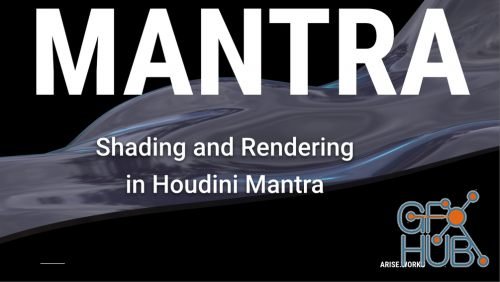
Join me in discovering the powerful Mantra rendering engine inside Houdini. All you need is a free version of Houdini, and some free time to learn and go through the course.

In this course You will use most of Photoshop tools and Technics to apply creative effects on Your photos.. Become a Graphic Designer or a community manager with design skills. You will become a real Photoshop expert.

Welcome to the Character Design for Beginners - Create Your First Character class! Throughout this class I will carefully guide you through a 15 step process which will take you from an empty page to a full illustration like the one you can see on the image below

Hi there! Welcome, and thanks for choosing Class Creative’s iOS iPad Game Development 3D Character Sculpting & Modeling!!

Make your projects even more impressive by learning how to create high-quality, photorealistic renders with V-Ray for 3ds Max. In this hands-on, project-based course, instructor George Maestri shows how to best approach lighting, rendering, and compositing exteriors scenes and environments for residential and commercial building design, animation, and gaming.

Learn Blender 2.8 in the fastest way possible. In this two-part series, you’ll learn both how Blender works and also how to use it for professional projects.

In this class I will demonstrate and explain how to resize/scale your videos to be larger or smaller, which can be used for many different reasons. Once comfortable with scaling, I will go into examples of how you can animate scaling your video to your editing needs.
Tags
Archive
| « November 2026 » | ||||||
|---|---|---|---|---|---|---|
| Mon | Tue | Wed | Thu | Fri | Sat | Sun |
| 1 | ||||||
| 2 | 3 | 4 | 5 | 6 | 7 | 8 |
| 9 | 10 | 11 | 12 | 13 | 14 | 15 |
| 16 | 17 | 18 | 19 | 20 | 21 | 22 |
| 23 | 24 | 25 | 26 | 27 | 28 | 29 |
| 30 | ||||||
Vote


New Daz3D, Poser stuff
New Books, Magazines