Video Tutorials
 2019-07-1

 3

In the motion design field, knowing lots of different approaches to animating characters is extremely valuable. And while you can get by on rigged characters for most projects, a hand-drawn character can do a lot to add life, personality, and value to an animation. And when it's done well, clients LOVE it!
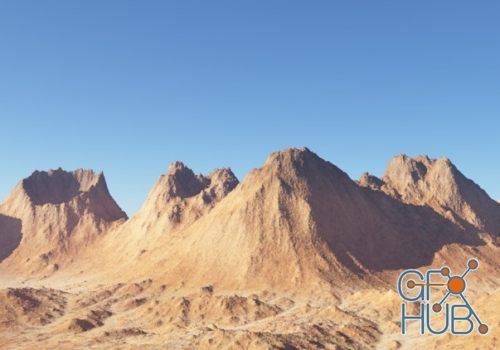
You will learn how to create mountain ranges and volcanoes with maximum control over placement, shape and overall design of your terrain.

MP4 1280x720 | Total time: 1h 55m | ENG | Project Files Included | 1.7 GB | Professional Lighting Techniques is your ultimate guide to lighting in Cinema 4D. With hands-on lessons, you will be guided through some of the core concepts of lighting as well as the advanced techniques and tools.

In this course, Deke doesn't just talk about how to leverage different Illustrator features—he ties each concept to a clearly-defined task, ensuring that you close out each section of the course with a practical understanding of the concepts. Discover how to convert scanned line art to scalable, vector-based path outlines using the automated Image Trace feature.

Learn how to breathe life into your creations with Maya's Rigging and Animation workflows. In this course, you’ll get your character rigged and animated to drive your production forward. First, you'll learn how to set up your basic rig.

Get started using Maya by getting an overview of the program and learning the basics of modeling 3d geometry. In this course, Maya 2019 Fundamentals: Overview and Modeling, you will learn the basics of working in Maya.
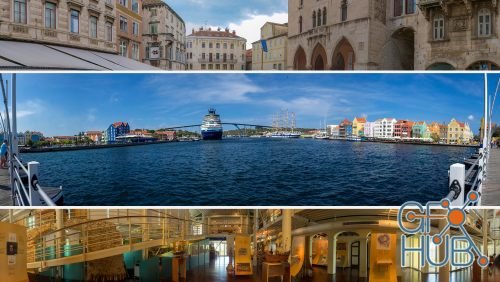
A great panorama is more than the sum of its parts. A panoramic image can showcase landscapes and architecture in a way that a single image just can’t do. Luckily, the process of creating panoramas is easier than ever with Adobe Lightroom.
Discover how to be the best Adobe Photoshop user you know. This comprehensive, project-based course is the second in a series of three courses by industry pro Deke McClelland. Deke doesn't just talk about the advanced features in Photoshop - he ties each concept to a clearly defined task, ensuring that you close out each chapter with a practical understanding of how things really work.
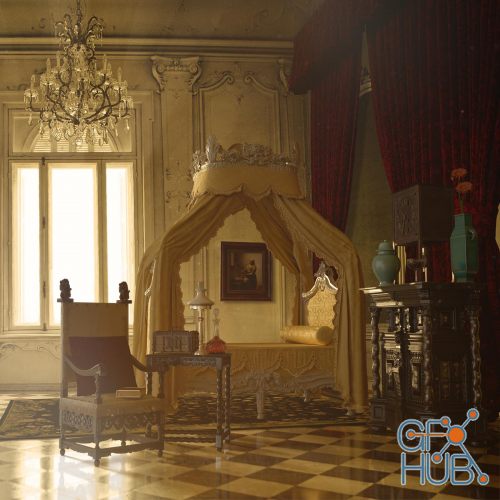
I had the honour to contribute in the Adobe blog article about this amazing project and create a scene in the interior design category. I chose to create a baroque style room, and built my scene in a way that gives us the impression that someone just left the room. At the end the scene came together nicely, resulting in a very rich and beautiful interior. In this tutorial you can follow step by step how I created it.

Looking to work smarter with ZBrush? In this weekly series, Emmanuel Henri digs into this popular digital sculpting tool, helping you enhance your ZBrush skill set, one tip at a time. Each installment covers a specific topic, including how to work with key features such as ZRemesher and Panel Loops, as well as how to leverage some of the newer ZBrush tools, including PolyGroupIt.
Tags
Archive
| « November 2026 » | ||||||
|---|---|---|---|---|---|---|
| Mon | Tue | Wed | Thu | Fri | Sat | Sun |
| 1 | ||||||
| 2 | 3 | 4 | 5 | 6 | 7 | 8 |
| 9 | 10 | 11 | 12 | 13 | 14 | 15 |
| 16 | 17 | 18 | 19 | 20 | 21 | 22 |
| 23 | 24 | 25 | 26 | 27 | 28 | 29 |
| 30 | ||||||
Vote


New Daz3D, Poser stuff
New Books, Magazines