2019-08-24

 0

Learn Photo Editing, Retouching, Duotones, Gradients, Cut Out Objects, Learn the Liquify Tool and Photo Manipulations

MP4 1280x720 | Total time: 13h 55m | ENG | Project Files Included | 10.6 GB

MP4 1920x1080 | Total time: 3h 52m | ENG | Project Files Included | 5.78 GB

Learn: Import images and optimize your organization with catalogs | Get a comprehensive overview of the Elements workspace | Apply professional image editing and correction techniques for incredible results | Sort and organize large collections to easily keep track of your images | Make retouches, composite images and add text | Effectively create photo slideshows and other projects | Use layers, one of the keys to enhancing your Photoshop

This panel is an amazing tool for a retoucher and for a photographer. It keeps you away from boring technical Photoshop settings and gives you more time to focus on your work.

Photoshop for Beginners – Vol 9 2019 | English | 164 pages | PDF | 132 MB

Retouching Toolkit is a feature set of a professional Photoshop retouching tool. The package contains a large set of scripts, actions and presets. Tools will greatly speed up and simplify your workflow.

MP4 1920x1080 | Total time: 2h 07m | ENG | Project Files Included | 1.47 GB
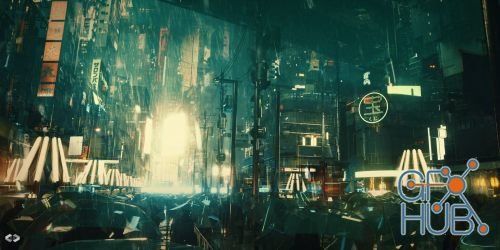
MP4 1920x1080 | Total time: 2h 35m | ENG | Project Files Included | 2.61 GB
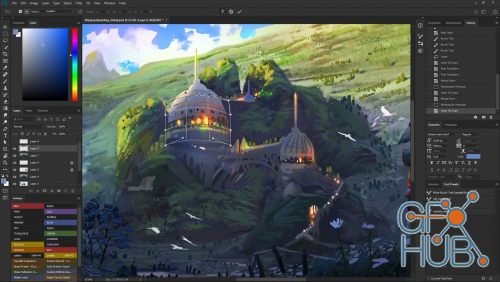
This class got you covered with a highly intuitive and efficient learning approach while creating a full conceptual artwork from start to finish in 100% Realtime, no time-lapses, no parts skipped. So if you just fell in love with the world of digital art and want to deepen your knowledge or get out of the beginners stage, this might be the perfect class for you!
Tags
Archive
| « November 2026 » | ||||||
|---|---|---|---|---|---|---|
| Mon | Tue | Wed | Thu | Fri | Sat | Sun |
| 1 | ||||||
| 2 | 3 | 4 | 5 | 6 | 7 | 8 |
| 9 | 10 | 11 | 12 | 13 | 14 | 15 |
| 16 | 17 | 18 | 19 | 20 | 21 | 22 |
| 23 | 24 | 25 | 26 | 27 | 28 | 29 |
| 30 | ||||||
Vote


New Daz3D, Poser stuff
New Books, Magazines